mytty-ctl reference
mytty-ctl is the local CLI a coding agent (Claude Code, Codex, Cursor, ...) uses to drive Mytty itself. Its agent subcommands spawn a worker provider in a new pane, deliver its task as one shell input, and track that exact spawn as a job a lead can wait on, read the result of, and send follow-ups to. The older pane-level commands (split, send, wait, read, ...) still work and remain the right tool for driving a pane by hand; the orchestration how-to covers when to reach for which. It talks to ControlServer (MyTTYApp) over a Unix-domain socket restricted to the current user, one JSON request per connection, and is a separate transport from the iOS remote (RemoteAccessServer, TCP with pairing and encryption). Source: Sources/MyTTYCore/ControlProtocol.swift, Sources/MyTTYCore/ControlCommandLineParser.swift, Sources/MyTTYCore/AgentJob.swift, Sources/MyTTYCore/AgentLaunchPlan.swift, Sources/MyTTYApp/ControlServer.swift, Sources/MyTTYApp/ControlCoordinator.swift, Sources/MyTTYApp/AgentJobCoordinator.swift.
Environment variables
Every pane Mytty opens gets these three variables set automatically (AgentEventServer.environment(for:)), which also adds mytty-ctl's directory to PATH, so no setup is required before calling mytty-ctl by name from inside a pane:
| Variable | Meaning |
|---|---|
MYTTY_CONTROL_SOCKET |
Absolute path of the Unix socket mytty-ctl connects to |
MYTTY_CTL_BIN |
Absolute path of the mytty-ctl binary (for when invoking it by name isn't reliable) |
MYTTY_SURFACE_ID |
This pane's own pane ID, usable as the "self" pane in commands |
mytty-ctl split "$MYTTY_SURFACE_ID" right --cwd /path/to/worktree
A debug build (Mytty Dev) and a release build each expose their own socket under separate ~/.config/mytty(-dev) directories. mytty-ctl itself is unaware of which one it is talking to; that is entirely determined by which pane's environment it inherited.
Using mytty-ctl outside Mytty
The PATH entry above only covers panes Mytty itself opened. Mytty doesn't manage a CLI installation for anywhere else, but nothing stops you from setting one up by hand. Run echo $MYTTY_CTL_BIN in any Mytty pane to see where the bundled binary lives, then symlink it onto your own PATH, e.g.:
ln -s "$MYTTY_CTL_BIN" ~/.local/bin/mytty-ctl
That alone isn't enough to run mytty-ctl from a plain terminal tab or script, though: outside a Mytty pane there is no MYTTY_CONTROL_SOCKET in the environment, so mytty-ctl has nothing to connect to. Read that variable's value from inside a pane (echo $MYTTY_CONTROL_SOCKET) too, and export it in whatever shell you want to call mytty-ctl from.
Calling mytty-ctl from inside Codex's sandbox
Shell commands Codex runs execute inside a macOS Seatbelt sandbox (review or workspace-write), so mytty-ctl called from there gets connect(2) to the Unix domain socket denied outright by the operating system -- every command, including list and agent spawn, fails with socketOperation(1) (EPERM). The socket file, its permissions, and MYTTY_CONTROL_SOCKET are all fine; the same socket connects normally from outside the sandbox (another pane, a plain shell). If Codex is the lead driving other panes, ask for approval to run mytty-ctl commands outside the sandbox. Workers agent spawn launches into other panes aren't affected -- they run in their own shell, not the lead's sandbox.
Exit status and output
Every command prints exactly one line of JSON to stdout and exits 0 on success. On failure it prints a message to stderr and exits 1.
mytty-ctl list | jq .
Commands
Prefer the agent commands for anything shaped like "run one or more workers and collect their output" -- they cover spawning a worker, waiting on the exact run it started, reading its result, and sending follow-ups, without the races the pane-level commands leave for the caller to avoid by hand (see Agent job binding below). The pane-level commands remain the tool for driving a pane manually.
| Command | Arguments | Success response |
|---|---|---|
agent spawn |
--provider <codex|claude|cursor> (--task <text>|--task-file <path>) [--anchor <pane-id>] [--direction <left|right|up|down|auto>] [--cwd <path>] [--access <review|workspace-write|inherit>] [--model <text>] [--label <text>] [--worktree <branch>] |
{"type":"agentJob","job":{...}} |
agent wait |
<job-id> --until <running|attention|completed> [--timeout-seconds <n>] |
{"type":"agentWaitResult","job":{...},"timedOut":false} |
agent result |
<job-id> |
{"type":"agentResult","job":{...},"content":{...}} |
agent send |
<job-id> <text> [--enter] |
{"type":"ok"} |
agent focus |
<job-id> |
{"type":"ok"} |
agent close |
<job-id> |
{"type":"ok"} |
agent park |
<job-id> |
{"type":"ok"} |
integration list |
none | {"type":"integrationStatuses","integrations":[...]} |
integration enable |
<codex|claude-code|opencode|antigravity|cursor> |
{"type":"integrationStatuses","integrations":[...]} |
integration repair |
[<provider>] |
{"type":"integrationStatuses","integrations":[...]} |
guide |
none | pane-team playbook as plain text on stdout, no socket needed |
list |
none | {"type":"list","panes":[...]} |
new-tab |
[--cwd <path>] [--command <text>] |
{"type":"pane","paneID":"..."} |
split |
<pane-id> [<left|right|up|down|auto>] [--cwd <path>] [--command <text>] |
{"type":"pane","paneID":"..."} |
send |
<pane-id> <text> [--enter] |
{"type":"ok"} |
send-key |
<pane-id> <key> [--modifiers <mod,mod,...>] |
{"type":"ok"} |
read |
<pane-id> |
{"type":"content","content":{...}} |
status |
(<text> | --clear) [--pane <pane-id>] |
{"type":"ok"} |
wait |
<pane-id> --until <idle|attention> [--timeout-seconds <n>] |
{"type":"waitResult","state":"...","timedOut":false} |
events |
[--after <seq>] [--timeout <seconds>] |
{"type":"events","records":[...],"latestSequence":7,"timedOut":false} |
close-pane |
<pane-id> |
{"type":"ok"} |
focus |
<pane-id> |
{"type":"ok"} |
park |
<pane-id> |
{"type":"ok"} |
--direction/the split direction argument defaults to auto when omitted: the new pane lands wherever keeps the tab's layout closest to an evenly filled grid (see Balanced placement (--direction auto) below), instead of always growing a strip off the anchor pane.
Pane IDs are the UUID string form of TerminalSurfaceID. Get one from a list response, a pane response, or $MYTTY_SURFACE_ID. Job IDs are the {"rawValue":"..."} UUID form of AgentJobID, read from an agentJob/agentWaitResult/agentResult response's job.jobID.rawValue.
agent spawn
Splits a new pane off --anchor (default $MYTTY_SURFACE_ID) and launches the given provider in it, delivering --task (or the contents of --task-file, read by mytty-ctl itself before the request is sent) as one shell input together with the launch command -- there is no separate send that could race the worker's TUI starting up.
Recommended: omit --access when spawning a worker of your own provider. An omitted --access resolves to inherit whenever --provider matches the anchor pane's current foreground agent, and to workspace-write otherwise -- so spawning a worker of your own provider with no --access picks up your current permission/sandbox mode automatically, instead of being narrowed to a fixed flag set. inherit copies the mode of the agent running in the anchor pane -- the lead's own process -- onto the worker's launch command (e.g. a claude lead running --permission-mode acceptEdits or --dangerously-skip-permissions spawns a claude worker with those same flags). inherit prefers the lead's launch argv, but for a Claude Code or Cursor lead falls back to its current mode read from its own local data (Claude Code's transcript, Cursor's store.db) when argv has nothing mode-relevant to say -- so a mode switched interactively after launch (Claude Code's shift+tab permission-mode cycling) is still inherited, not just the flags the lead was started with. Codex leads still only inherit from argv. If neither source has anything (the lead is running in its default mode with no transcript-derived mode either), inherit falls back to the same flags workspace-write would use. Explicit --access inherit does the same copy, but fails with inherit-unavailable when the anchor pane's foreground process can't be read at all, or is a different provider than --provider, rather than silently falling back to workspace-write -- inheriting flags across providers is meaningless, since they don't share a flag vocabulary.
review launches the provider in its read-only/plan mode. workspace-write lets the worker edit files -- but for a claude worker it always launches with --permission-mode acceptEdits, regardless of the lead's own mode. A lead running with a broader mode (auto, --dangerously-skip-permissions, ...) that passes --access workspace-write gets a worker that stops and waits on every approval prompt instead of matching the lead, since acceptEdits still gates Bash commands. Prefer omitting --access (or explicit --access inherit) over --access workspace-write whenever the worker is the same provider as the lead; reach for workspace-write for a different-provider worker, or when a fixed acceptEdits-equivalent policy is genuinely what's wanted.
--model is optional and picks the provider's model, passed straight through to the provider CLI's own model flag -- -m <model> for codex, --model <model> for claude and cursor -- e.g. --model sonnet for a claude worker. Omit it to use whatever model the provider defaults to. --cwd defaults to the anchor pane's shell-reported working directory (the last directory the pane's shell announced via shell integration), not the calling process's own cwd. An orchestrator whose process cwd differs from its pane's shell -- for example Claude Code launched with --worktree, which chdirs into a git worktree the pane's shell never entered -- should pass --cwd "$PWD" explicitly, or its workers start in the original checkout instead of the worktree. A worker contract (stay in the working directory, keep going instead of stopping to ask, end with a concise summary) is appended to every task automatically. The typed launch line is also prefixed with a guard that unsets HISTFILE (and starts with a space, for hist_ignore_space setups), so neither the launch command with its full task text nor anything typed into that pane's shell afterwards is persisted into ~/.zsh_history.
--direction defaults to auto: rather than always growing a strip off --anchor, Mytty picks whichever existing pane and side keeps the tab's layout closest to an evenly filled grid -- see Balanced placement (--direction auto) below. Pass an explicit left/right/up/down when the worker specifically needs to sit next to --anchor itself.
--worktree <branch> launches the worker inside a git worktree for <branch> instead of the plain resolved --cwd/anchor-pane directory. The base repository is resolved from that same directory (git -C <dir> rev-parse --show-toplevel); the worktree lives at <repo-parent>/<repo-name>-worktrees/<branch> (a / in the branch becomes - in the directory name only, e.g. branch feat/x -> mytty-worktrees/feat-x), a sibling of the repository so it never shows up in the main checkout's git status. If that path is already a registered worktree of the repo, Mytty reuses it as-is -- idempotent respawn, regardless of which branch it currently has checked out. Otherwise, a <branch> that already exists as a local branch is checked out into the new worktree; one that doesn't is created from the current HEAD. Mytty never removes a worktree automatically -- not on agent close, not on pane close -- since it may hold uncommitted work; once a worker's branch is merged or abandoned, remove it yourself with git worktree remove <path> from the base repository. See the failure-code table below for not-a-git-repository, worktree-create-failed, and invalid-worktree-branch.
job=$(mytty-ctl agent spawn \
  --provider codex --access review \
  --task "Investigate why login times out under load." \
  --label investigate-a | jq -r '.job.jobID.rawValue')
{
  "type": "agentJob",
  "job": {
    "jobID": { "rawValue": "..." },
    "paneID": { "rawValue": "..." },
    "provider": "codex",
    "label": "investigate-a",
    "state": "launching",
    "runID": null,
    "sessionID": null,
    "message": null
  }
}
state starts at launching and moves to running once a run is confirmed started, either by the worker's own hook events or, when its integration isn't installed, by Mytty's native run estimation (see Native run estimation). Exactly one of --task/ --task-file is required; a task that would push the encoded request over the 64 KiB socket envelope is rejected by the CLI before it ever opens a connection. See Agent job binding for what jobID actually identifies.
agent wait
Blocks until the job's own bound run -- never a run that predates the job -- reaches the given condition, or the timeout elapses.
mytty-ctl agent wait "$job" --until completed
{
  "type": "agentWaitResult",
  "job": { "...": "same shape as agent spawn's job" },
  "timedOut": false
}
runningresolves once the job has bound to a run and that run is running or has moved past running.attentionresolves only forwaiting-input/waiting-approval.completedresolves forsucceeded,failed,disconnected,launch-failed, orlost.
--timeout-seconds defaults to 120. A provider that never starts (missing executable, a broken hook integration) surfaces as launch-failed within 30 seconds of the spawn -- agent wait does not sit through the full timeout for that case. running and completed resolve even for a job whose provider has no hook integration installed, since Mytty estimates that lifecycle natively; attention still needs the provider's hooks and fails fast instead of blocking -- see wait semantics.
Handling a worker stuck on an approval prompt: --until attention (requires that provider's hook integration) is how to catch this instead of guessing from elapsed time. Read agent result "$job" to see which prompt is showing on the pane's screen, and get the pane ID from that same response (.job.paneID.rawValue) to answer it -- plain text sent with agent send does not activate claude's approval dialog, so answer with a literal keypress via send-key instead (a bare "1" or "2", matching the option shown), then agent wait --until completed again.
agent result
Returns the job's latest state together with the pane's current screen content, so a lead can collect what a worker produced after agent wait --until completed.
mytty-ctl agent result "$job"
{
  "type": "agentResult",
  "job": { "...": "same shape as agent spawn's job" },
  "content": {
    "paneID": "...",
    "text": "...",
    "cursorRow": 10,
    "cursorColumn": 2
  }
}
This reads the pane's current screen, not a provider transcript, so a worker's launch prompt asks it to keep its final summary concise enough to still be legible on screen.
agent send / agent focus / agent close / agent park
Resolve a job ID to its pane and reuse the pane-level send/focus/close-pane/park behavior, so a follow-up always reaches the exact worker it was meant for even if other panes were opened or closed in between.
mytty-ctl agent send "$job" "Also add a regression test." --enter
mytty-ctl agent focus "$job"
mytty-ctl agent park "$job"
mytty-ctl agent close "$job"
{ "type": "ok" }
agent close closes the job's pane and moves a nonterminal job to lost. A pane that disappeared on its own (closed by the user, the shell exited, ...) is reported the same way -- lost, not pane-not-found -- through every agent command.
agent park is the recommended way to retire a finished worker once its result has been read (agent result or after agent wait --until completed): instead of closing the pane outright, it moves the job's pane into a done_<tab>_<id> tab in the same window -- see Parking finished workers (park / agent park) below. Reach for agent close only when nothing will read the pane's output again.
guide
Prints the pane-team playbook -- environment variables, the split/send/wait/read flow, and per-provider launch commands -- as plain text, and exits 0 without needing MYTTY_CONTROL_SOCKET or a running Mytty. This file documents argument syntax and JSON shapes; mytty-ctl guide is the primary source for the recipes themselves, so run it directly rather than looking for a copy here. mytty-ctl --help (or -h, or no arguments) prints the shorter command list above instead. Mytty itself writes this same text to ~/Library/Application Support/mytty/mytty-ctl.md on every launch, and the "Teach agents about Mytty orchestration" setting for Claude Code / Codex writes a reference to that file (see the agent providers reference).
mytty-ctl guide
integration list / integration enable / integration repair
mytty-ctl integration list
mytty-ctl integration enable claude-code
mytty-ctl integration repair
{ "type": "integrationStatuses", "integrations": [
  { "provider": "claude-code", "status": "installed" },
  { "provider": "codex", "status": "not-installed" }
] }
integration list reports every provider's hook-integration status (installed, not-installed, or needs-repair) -- the same state Settings > Agents shows, re-read from each provider's config file on every call. An entry also carries an error string when the last install attempt failed.
integration enable <provider> installs that provider's hooks, and integration repair re-installs the integrations that report needs-repair (or the one named provider, which also covers plain installs). Both take AgentProvider's five identifiers (codex, claude-code, opencode, antigravity, cursor) -- note this is not agent spawn --provider's three-value vocabulary, because integrations exist for every provider Mytty can track, not only the ones agent spawn can launch.
Enabling a hook means Mytty-provided code runs inside that provider's sessions, so both mutating commands block while the Mytty app puts a confirmation dialog in front of whoever is at the Mac; there is deliberately no flag that skips it, which keeps an AI orchestrator able to request an install but never to approve one. The CLI waits up to 180 seconds for the answer. A decline fails with integration-declined; approval performs the same install as the Settings toggle (pane-team pointer handling included) and answers with the fresh statuses. Enabling an already-installed provider, or repairing when nothing needs repair, returns the current statuses without showing a dialog.
list
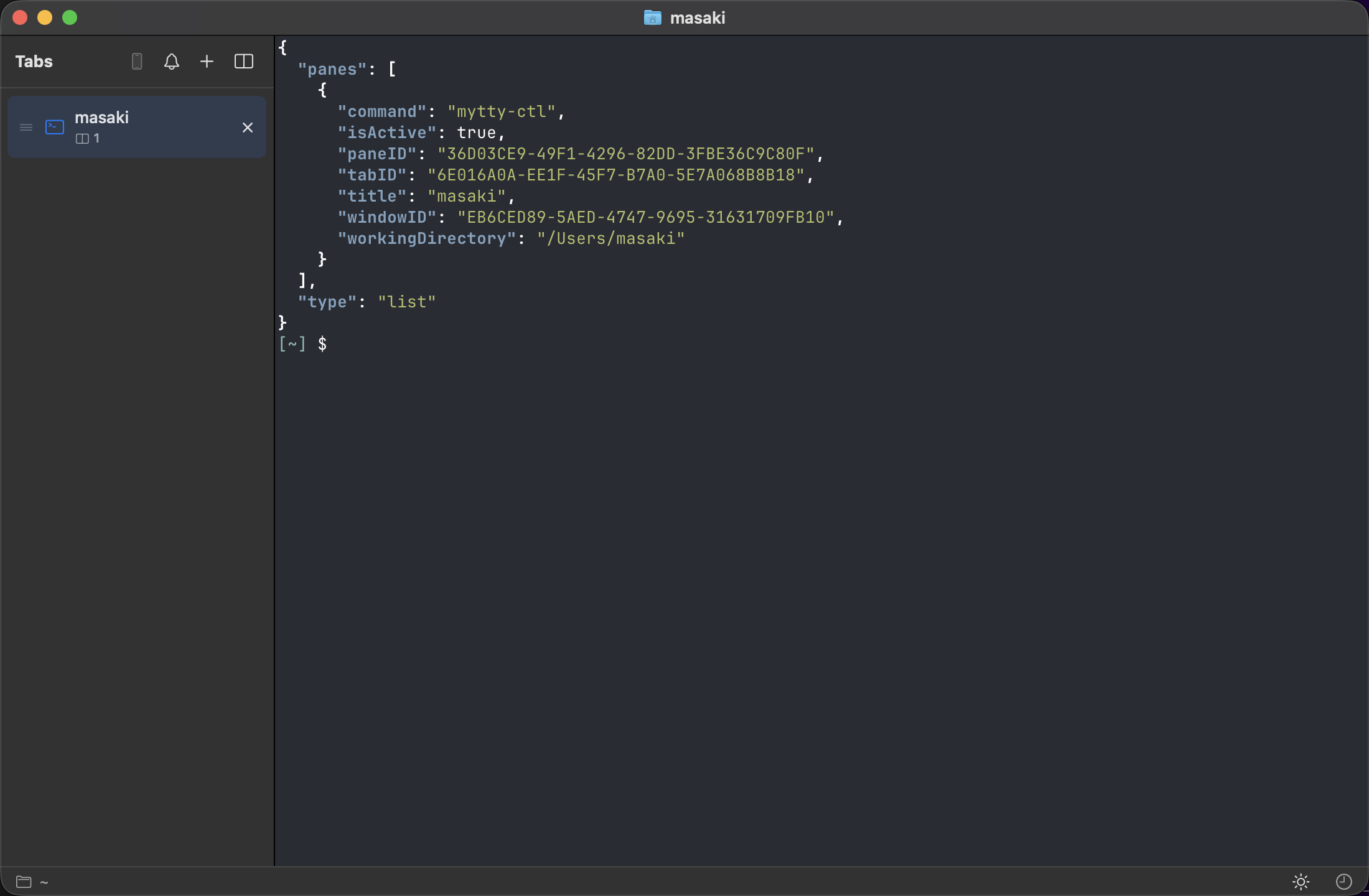
Lists every pane across every open window.
mytty-ctl list
{
  "type": "list",
  "panes": [
    {
      "paneID": "B9AA8B83-B42D-4C11-B838-36B84C73032A",
      "windowID": "...",
      "tabID": "...",
      "title": "zsh",
      "command": "zsh",
      "workingDirectory": "/Users/me/project",
      "isActive": true,
      "provider": "codex",
      "agentState": "running"
    }
  ]
}
provider is an AgentProvider.rawValue (see Agent event protocol) and agentState an AgentRunState.rawValue. Both keys are omitted from the JSON entirely until at least one agent event has been recorded for that pane (verified against a live mytty-ctl list | jq . run on a pane with no agent history: no provider or agentState key appears at all).
new-tab
Creates a new tab in the active window (or the first window found, if none is active). The tab opens in the background — the user's selected tab and keyboard focus stay where they are; use focus to bring it forward. There is no way to target a specific window; split an existing pane in that window instead.
mytty-ctl new-tab --cwd /path/to/project
{ "type": "pane", "paneID": "..." }
--cwd defaults to the active window's current working directory when omitted.
--command <text>, when given, is delivered to the new pane as one transient initial input the moment the pane is created — the same mechanism agent spawn uses for its launch command and task (AgentLaunchPlan.initialInput(command:)): prefixed with the history-suppression guard and terminated with a single trailing newline. This is the recommended way to launch a worker with its task inline, since there is no separate send afterwards that could race the worker's still-initializing TUI. Like agent spawn's launch line, it is not persisted into the pane's shell history and is not stored anywhere in session state — it only ever exists as the keystrokes typed into the new pane. An explicitly empty --command "" is rejected by the CLI before it opens a connection.
mytty-ctl new-tab --cwd /path/to/project \
  --command 'claude --permission-mode acceptEdits -- "$(cat /tmp/task.md)"'
split
Splits an existing pane in the given direction, or, when the direction is omitted, at the balanced-placement position described in Balanced placement (--direction auto) below. The split happens in the background — the target pane's tab is not selected and keyboard focus does not move; use focus on the returned pane ID to bring it forward.
mytty-ctl split "$MYTTY_SURFACE_ID"              # auto: balanced placement
mytty-ctl split "$MYTTY_SURFACE_ID" right --cwd /tmp
{ "type": "pane", "paneID": "..." }
--command <text> behaves exactly as it does for new-tab above — one transient initial input delivered with the split, avoiding the separate send that could otherwise race the worker's TUI startup. Writing the task to a file first and passing it with $(cat <task-file>) keeps a multi-line task as one argument, since a newline in --command's text (like send's) becomes an Enter keypress once it reaches the pane:
echo "Investigate why login times out under load." > /tmp/task-a.md
mytty-ctl split "$MYTTY_SURFACE_ID" right --cwd /path/to/worktree \
  --command 'codex -s workspace-write -a never -- "$(cat /tmp/task-a.md)"'
send remains the right tool for a follow-up instruction to a worker pane that is already running.
Testing a TUI app from inside a pane: an agent runs shell commands through its own tool with piped stdin/stdout, and the pane's own pty is occupied by the agent's TUI, so a TUI app under development (anything that puts the terminal in raw mode via termios) can't be run or driven directly from inside that same session. Open a sibling pane for it instead -- split "$MYTTY_SURFACE_ID" right --command '<app under test>' -- then drive it with send/send-key and check the result with read, closing the pane with close-pane once done; this gives the app a real pty. script -q /dev/null <app> also allocates a pseudo-tty, for a quick smoke run that doesn't need a real pane. This is not spawning a sub-agent -- it's running the program under test -- so it doesn't conflict with agent spawn's worker contract, which only forbids hidden/native sub-agents.
send
Types text into a pane, optionally followed by Return.
mytty-ctl send "$paneA" "claude" --enter
mytty-ctl send "$paneA" "investigate issue #42" --enter
{ "type": "ok" }
send-key
Sends a single synthesized key event, for interactive prompts that don't respond to plain text (arrow-key menus, Esc to cancel, ...).
mytty-ctl send-key "$paneA" escape
mytty-ctl send-key "$paneA" up
mytty-ctl send-key "$paneA" c --modifiers control
Recognized <key> values (RemoteKeyMapping.swift):
| Category | Values |
|---|---|
| Named keys | escape, tab, return, delete, space, up, down, left, right, f1-f12 |
| Single characters | any one of a-z, 0-9, `, -, =, [, ], \, ;, ', ,, ., / |
--modifiers takes a comma-separated list drawn from shift, control, option, command (e.g. --modifiers shift,command). An unrecognized <key> value fails with the pane-not-found error code even when the pane itself exists. ControlCoordinator treats "no key mapping" and "no such pane" the same way, so the code name is misleading in this one case. No key event is sent when this happens.
{ "type": "ok" }
read
Reads the pane's current screen content and cursor position.
mytty-ctl read "$paneA"
{
  "type": "content",
  "content": {
    "paneID": "...",
    "text": "$ ls\nREADME.md\n...",
    "cursorRow": 3,
    "cursorColumn": 0
  }
}
cursorRow and cursorColumn are null when the pane has no cursor position to report.
status
A pane agent's own progress self-report — one line, at most 100 Unicode scalars, no control characters.
mytty-ctl status "running tests"        # reports for $MYTTY_SURFACE_ID
mytty-ctl status "reviewing" --pane "$pane"
mytty-ctl status --clear
{ "type": "ok" }
The pane defaults to the caller's own $MYTTY_SURFACE_ID (the same fallback agent spawn --anchor uses), so a worker reports its own pane without knowing its ID. The note shows in the status bar next to the agent's name and model, and is echoed as statusNote in list pane entries and in every agent response's job snapshot — an orchestrator can follow a worker's phase without reading its screen. agent spawn's worker contract instructs workers to report each phase this way.
Notes are ephemeral by design: kept in memory only (an app restart forgets them), cleared automatically when the pane's run starts or ends (started, idle, succeeded, failed, disconnected events), and kept across mid-run transitions (running, approval/input requests). --clear removes one explicitly. An empty string is not a valid note — clearing is its own operation. Self-reports deliberately do not travel the agent-event pipeline: they change no run state and must never be persisted, so they live beside it (see mytty-ctl architecture).
wait
Blocks until the pane's most relevant agent run satisfies a condition, or until the timeout elapses.
mytty-ctl wait "$paneA" --until idle
mytty-ctl wait "$paneA" --until attention --timeout-seconds 600
{ "type": "waitResult", "state": "idle", "timedOut": false }
--timeout-seconds defaults to 120. state is the AgentRunState observed when the wait resolved (or null if no event has ever arrived for that pane); timedOut is true if the deadline was reached without the condition being satisfied. --until idle works even without the pane's provider having its hook integration installed, since Mytty estimates the run's lifecycle natively. A pane already running an agent whose hook integration isn't installed fails an --until attention wait immediately with provider-integration-not-installed instead of blocking. See wait semantics below.
events
Long-poll fan-in over every pane's agent events, for an orchestrator watching several workers at once -- one events call in a loop replaces one wait/agent wait per pane run in parallel background shells.
mytty-ctl events                                    # establish a cursor, no history
mytty-ctl events --after 7 --timeout 60             # block for the next event(s)
{
  "type": "events",
  "records": [
    {
      "sequence": 8,
      "paneID": "...",
      "provider": "codex",
      "runID": "...",
      "kind": "approval-requested",
      "occurredAt": "2026-01-01T00:00:00Z",
      "toolName": "shell",
      "synthesized": false
    }
  ],
  "latestSequence": 8,
  "timedOut": false
}
Omitting --after establishes a cursor: it deliberately returns no records -- it only hands back the current latestSequence so a caller can start watching from "now" without replaying everything that already happened. Pass that value (or any later latestSequence from a previous response) as the next call's --after: if events are already retained past that cursor they come back immediately, otherwise the request blocks until at least one new event lands on any pane or --timeout elapses. An explicit --after 0 is a normal fetch cursor, not establishment -- it returns every retained record (or blocks for the first one), which is exactly the right way to catch up on an empty ledger. --timeout defaults to 30 seconds and clamps to 600; a timed-out response carries an empty records list, timedOut: true, and the same latestSequence -- poll again with it rather than treating the timeout as an error. records[].paneID/runID are the same UUID-string forms list/agent responses use; kind is an AgentEventKind raw value; synthesized is true when mytty produced the event itself (native run estimation, Cursor's approval-pending estimate) rather than the provider's own hooks. One such record a caller may see in its feed is the startup sweep: on launch Mytty closes out any run a previous app instance left non-terminal by recording a synthesized disconnected event for it, hookName: "mytty.startupSweep". The underlying ledger retains at most 1000 records app-wide, so a cursor that goes stale long enough silently skips whatever fell off the back instead of failing -- events is at-most-once delivery of retained history, not a guaranteed replay log.
cursor=$(mytty-ctl events | jq -r '.latestSequence')
while true; do
  response=$(mytty-ctl events --after "$cursor" --timeout 60)
  cursor=$(echo "$response" | jq -r '.latestSequence')
  echo "$response" | jq -c '.records[]'   # act on each new event
done
close-pane
Closes a pane immediately, with no confirmation dialog. The caller is assumed to be an automated agent, not a human clicking Close.
mytty-ctl close-pane "$paneA"
{ "type": "ok" }
Closing the last pane of the last tab in a window still triggers that window's own close-confirmation dialog, if the user has one configured; this case does not normally arise for panes created to run subagents.
focus
Brings a pane to the foreground, for handing control back to the user.
mytty-ctl focus "$paneA"
{ "type": "ok" }
park
Moves a pane into its containing tab's "done" tab, so a working tab full of orchestrated workers doesn't accumulate finished ones.
mytty-ctl park "$paneA"
{ "type": "ok" }
See Parking finished workers (park / agent park) below for the done tab's naming, reuse, and creation rules.
Balanced placement (--direction auto)
split and agent spawn both take --direction <left|right|up|down|auto>, and both default to auto when the direction is omitted. A fixed direction always splits next to the given pane (--anchor for agent spawn, the target pane for split); auto instead asks: of every pane already in that tab, which one is largest, and would splitting it along its longer side keep the layout closest to an evenly filled grid? Six workers spawned one at a time with --direction auto converge on roughly a 3x2 grid instead of a 1x6 strip running off the edge of the window.
Concretely (BalancedPaneInsertion.target in Sources/MyTTYCore/TabSession.swift): every pane's frame is scaled into a container shaped like the tab's actual pane area (so a wide window fills columns before rows); the pane with the largest area is picked, ties going to the top-left-most pane for determinism; and it's split along its longer effective side -- width ≥ height splits right, otherwise down. The chosen pane can be different from --anchor/the pane named on the command line -- the new pane still lands "next to" some existing pane in the tab, just not necessarily the one you named, in exchange for a layout that stays readable as the team grows. Candidates are restricted to terminal panes when the tab has at least one, so an orchestrated split never lands next to a browser or remote pane while a terminal target is available.
Pass an explicit left/right/up/down to opt back into the old fixed-anchor behavior -- useful when a worker specifically needs to sit beside the pane that spawned it (e.g. a companion pane for the same task).
Parking finished workers (park / agent park)
park <pane-id> and agent park <job-id> move a pane out of its current tab and into a per-tab "done" tab in the same window, so a working tab stays readable as workers finish instead of accumulating panes an orchestrator no longer needs to look at every poll. Run this once a worker's result has been read (agent result, or after agent wait --until completed) -- agent close is still the right call once nothing will read the pane's output again.
The done tab is named done_<parent-tab-title>_<id8>, where <parent-tab-title> is the source tab's current display title (its pinned title if renamed, otherwise the same title the pane list shows) and <id8> is the first 8 lowercase hex characters of the source tab's ID. It's created the first time a pane is parked out of a given tab -- appended at the end of the tab strip, like an orchestrated new-tab, and never selected, so parking never interrupts whatever the user is looking at. Every later park/agent park for panes from the same source tab reuses that same done tab, found by matching the _<id8> suffix rather than the full name -- the parent tab's title embedded in the name can drift (a rename) without breaking the lookup. New panes land in the done tab at the same balanced position --direction auto uses, not always the outer edge, so a done tab with several parked workers also stays a readable grid rather than a 1xN strip.
Parking a tab's only remaining pane removes that now-empty source tab, mirroring how moving a pane through the pane-list context menu already behaves; the done tab it was already using (or a fresh one, named from the source tab's title at the moment it disappears) keeps its name from then on. Parking a pane that's already inside a done tab fails with already-parked -- there's no "done of done".
mytty-ctl agent park "$job_a"
mytty-ctl park "$paneA"
Failure responses
A failed request returns {"type":"failure","code":"..."} from the server; the CLI surfaces this as a non-zero exit with a stderr message rather than printing the JSON.
| Code | Meaning |
|---|---|
invalid-request |
The request could not be decoded as JSON, or malformed argument syntax at the CLI layer |
not-ready |
The control server has no delegate yet (app still starting) |
new-tab-failed |
new-tab could not create a tab |
split-failed |
split could not split the given pane |
pane-not-found |
The given pane-id does not resolve to a live pane (also returned by send, send-key, read, wait, close-pane, focus, park); agent spawn also returns this if --anchor doesn't resolve to a live pane |
already-parked |
park/agent park: the pane is already inside a done tab -- there's no "done of done" |
park-failed |
park/agent park: the pane could not be moved into its done tab for a reason other than pane-not-found/already-parked |
provider-integration-not-installed |
wait --until attention / agent wait --until attention: the pane's (or job's) foreground process is a recognized agent whose integration isn't enabled (see wait semantics) -- agent spawn no longer returns this code, since a job binds to a natively estimated run instead of a hook-reported one |
provider-integration-needs-repair |
agent spawn: the provider's hook integration is installed but stale/broken -- native run estimation deliberately stays out of the way for needs-repair, so repair is the only fix |
invalid-cwd |
agent spawn: --cwd doesn't name an existing directory |
invalid-label |
agent spawn: --label contains a control character or exceeds 100 Unicode scalars |
invalid-model |
agent spawn: --model is empty, contains a control character or whitespace, or exceeds 100 Unicode scalars |
invalid-status |
status: the text is empty, contains a control character, or exceeds 100 Unicode scalars |
invalid-task |
agent spawn: the resolved task text is empty |
inherit-unavailable |
agent spawn: --access inherit was requested but the anchor pane's foreground process can't be read, or isn't the same provider as --provider |
invalid-worktree-branch |
agent spawn --worktree: the branch is empty, exceeds 100 Unicode scalars, or isn't a valid git branch name |
not-a-git-repository |
agent spawn --worktree: the resolved --cwd/anchor-pane directory isn't inside a git repository |
worktree-create-failed |
agent spawn --worktree: git could not create the worktree -- e.g. the target path exists on disk but isn't a worktree already registered to the repo |
spawn-failed |
agent spawn: the pane could not be created |
job-not-found |
agent wait/agent result/agent send/agent focus/agent close/agent park: the given job ID is unknown -- either it never existed, or it was issued before the last Mytty restart (job IDs are not persisted) |
integration-declined |
integration enable/integration repair: the human at the Mac declined the confirmation dialog (or nobody answered it) |
job-lost |
agent send/agent focus/agent park: the job's pane disappeared (see lost below); agent result and agent close do not use this code -- they answer with the job's lost state and an empty result, and closing a job whose pane is already gone still exits 0 |
Wait semantics
wait polls at a fixed interval (roughly 300 ms) until the condition is met or the deadline passes.
--until idleresolves once the pane's most recent agent run reachesidle,succeeded,failed, ordisconnected. A pane that has never received an agent event blocks until timeout; there is no "already idle" default.--until attentionresolves once the run reacheswaiting-inputorwaiting-approval. Antigravity's installed hooks never emit approval- or input-requested events (see Agent providers), sowait --until attentionalways times out for panes running that provider; use--until idlefor it instead. Cursor never emits input-requested either, but it can reachwaiting-approval: mytty estimates a stuck tool call from a delay between Cursor'spreToolUsehook and the matchingpostToolUse/postToolUseFailure, sowait --until attentionresolves for a Cursor pane once that estimate fires (roughly 10 seconds after the tool call starts, if nothing resolves it sooner).- If the target provider's hook integration has not been enabled yet in Settings, Mytty estimates the run's lifecycle natively instead: from the pane's polled foreground process and, for Claude Code/Codex/Cursor, their own transcript or
store.db(see Agent event protocol). That covers--until idlecompletely, but native estimation deliberately never reportswaiting-input/waiting-approval-- a misread there could put a false actionable item in the Attention Inbox -- so--until attentionstill needs the provider's real hooks.waitchecks for this once before entering its poll loop: when the condition isattentionand the pane's foreground process is already a recognized agent (as seen by the 0.5-second process poll,MYTTY_AGENThint included) whose integration isnot-installed, it fails immediately withprovider-integration-not-installedinstead of blocking to timeout -- fix it withmytty-ctl integration enable <provider>or Settings > Agents.--until idlenever fails this preflight. The check is deliberately a preflight, not per-poll (an agent exiting back to its shell mid-wait must not fail a legitimate wait), and it deliberately lets aneeds-repairintegration through for either condition, since one may still be delivering events from a live session -- native estimation stays out of the way forneeds-repairtoo. When the agent hasn't been launched yet as the wait starts -- the usualsplit --command-then-waitflow -- the preflight sees only a shell and an attention wait still blocks to timeout, so treat an attention-wait timeout right after launching a provider as the same missing-integration signal.
agent wait polls the same way, against agent spawn's job instead of a pane. Its three conditions (running/attention/completed) are a different set from wait's (idle/attention) -- see agent wait above. The same attention-only preflight applies: a job spawned against a not-installed provider can agent wait --until running/completed (both resolve from native estimation), but --until attention fails immediately with provider-integration-not-installed.
Agent job binding
A job created by agent spawn identifies one specific worker run, not "whatever the pane is currently doing." Internally, AgentJobTracker records the set of run IDs already known for the new pane at the moment it's created (normally empty, since the pane is brand new) and then binds the job to the first later run it observes for that pane/provider whose ID isn't in that set. Once bound, a job does not switch to a different run on its own. This is what makes two jobs spawned back to back safe: each is anchored to its own pane and its own baseline, so neither can observe the other's run, and agent wait --until completed can never resolve from a run that predates the job.
The one exception is a deliberate one: agent send delivering follow-up input to an already-finished job re-arms it (AgentJobTracker.prepareForFollowUp), so a later agent wait --until completed tracks the new run that follow-up starts rather than immediately resolving from the old, already-terminal one. Sending a follow-up to a job that is still running has no such effect -- it stays bound to the run already in progress.
A job's state comes directly from mapping its bound run's AgentRunState, not from AttentionCenter's "most relevant run for this pane" logic that the status bar uses -- the two answer different questions. If no run binds before 30 seconds pass, the job moves to launch-failed (covering a missing executable, a TUI that never launched, or hooks that never fired). If the job's pane disappears, a nonterminal job moves to lost. A job whose bound run gets closed out by the startup sweep (see events) reports that run's disconnected state like any other. Neither the launch-failed nor the lost transition is reversible.
The job registry lives only in the running app's memory; it is not persisted. A Mytty restart makes previously issued job IDs return job-not-found -- the panes/processes those jobs pointed at are unaffected, they're just no longer reachable by that job ID.
Constraints
new-tabcannot target a specific window; it always lands in the active window, or the first window found if none is active. To open a pane in a specific window,splitone of that window's existing panes instead.close-panenever shows a confirmation dialog. The one exception, closing the last pane of the last tab, still triggers the window's own close confirmation; this does not normally apply to panes created for subagent teams.- Pane IDs are
TerminalSurfaceIDUUID strings, obtained fromlist, apaneresponse, or$MYTTY_SURFACE_ID. - The maximum request size accepted by the control socket matches the agent-event socket's 64 KiB envelope limit; a very large
sendargument should be chunked or piped through the shell instead of passed as one oversized literal.agent spawnchecks the same limit against the encoded request (task plus the appended worker contract) before opening a connection, so an oversized task fails as a plain CLI error instead of a socket write silently being rejected. agent spawnnever launches a worker in an existing pane -- every spawn creates a new one. This is what keeps job binding correct (see Agent job binding); it also means retiring jobs you no longer need to watch (agent parkfor a finished worker whose result you've read,agent closeonce nothing will read it again) matters more than it does for a small number of manually managed panes.park/agent parknever select the done tab they move a pane into, mirroringnew-tab's background-open behavior; a done tab is only ever brought forward byfocusing a pane inside it.- Job IDs are the
{"rawValue":"..."}UUID form ofAgentJobID, read fromjob.jobID.rawValuein anyagentresponse. They are not interchangeable with pane IDs.
See also
- Orchestrate a team of agents with mytty-ctl walks through staged multi-worker examples built on the
agentcommands. mytty-ctl guide's "WATCHING SEVERAL WORKERS AT ONCE" section has the sameeventscursor loop shown above, written for an agent reading the CLI's own built-in manual.- mytty-ctl architecture explains why the control socket needs no setup and how job/run binding works underneath
agent wait. - Agent providers covers which providers expose approval/input events, relevant to
wait --until attention. - Agent event protocol documents the
AgentProviderandAgentRunStatevalues surfaced inlistandwait. .claude/skills/mytty-panes/SKILL.mdis a short pointer that tells an agent to runmytty-ctl guidefor the recipes built on these commands.